
A custom domain lets people open your profile at an address you own, like bio.yourname.com, instead of zyo.lol/yourname. You buy days for a domain in the shop, point your DNS at zyo.lol, and SSL is set up for you.
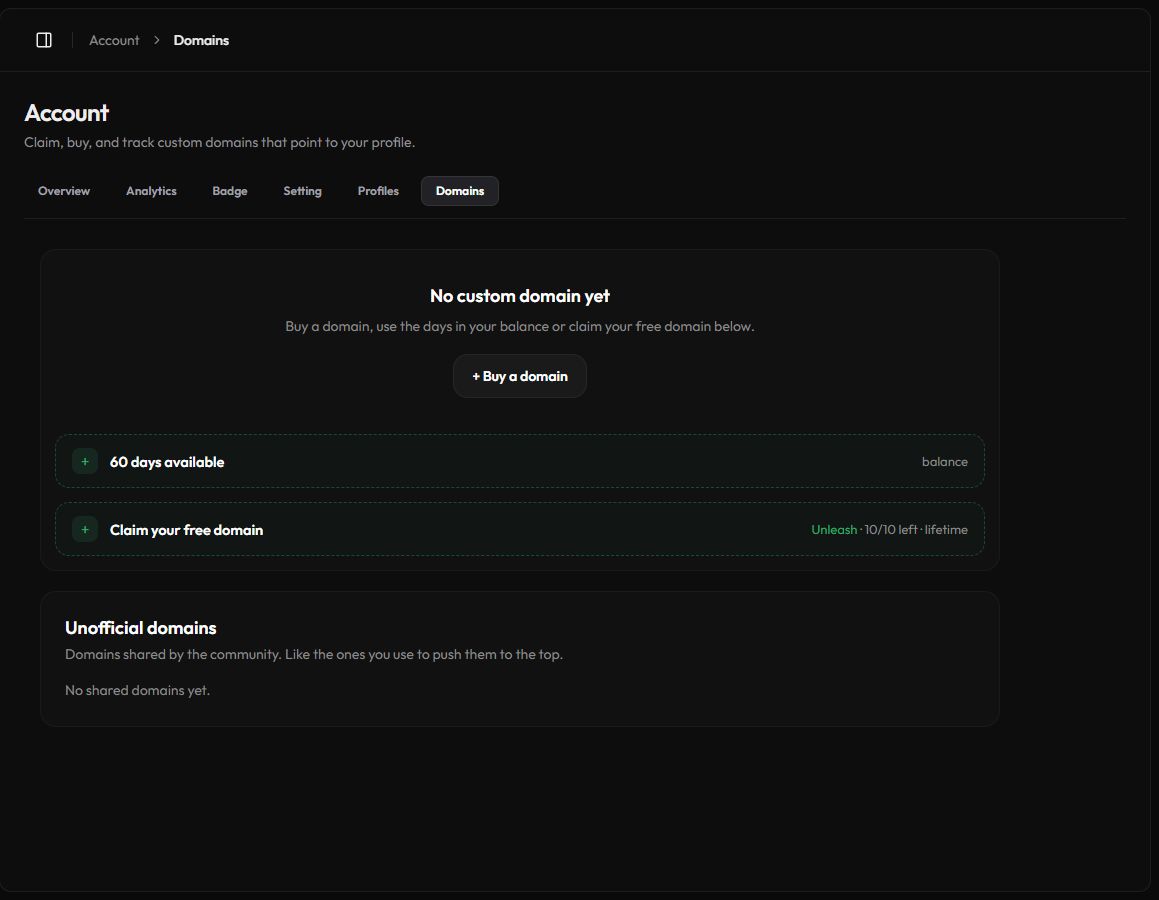
Ways to get a custom domain
- Buy days. Press + Buy a domain and pick 2 months or 1 year at checkout. Unleash members pay a lower price.
- Use your balance. Days you bought or got as a gift wait in Days in balance until you connect a domain.
- Free claim. A limited number of Unleash members can claim a free lifetime domain with Claim your free domain, while slots last.
You need your own domain name
zyo.lol doesn't register domains for you. Buy the domain itself from a registrar such as Cloudflare, Namecheap or Porkbun, then connect it here.
Connect your domain
- Open Domains. Go to Account › Domains or zyo.lol/domains.
- Enter your hostname. Type it in the field, for example
bio.yourname.com, and press Connect domain. - Add the DNS record. At your DNS provider, add a
CNAMErecord from your hostname todomains.zyo.lol. Use Copy to grab the exact values. - Press Check. Once DNS has updated, the status turns Active and SSL turns Active too.
Speed it up
The panel may also show a TXT record marked "Optional · speeds up verification". Adding it helps the domain go live faster.
Root domains
Using a root domain like yourname.com instead of a subdomain? Your DNS provider must support CNAME flattening (ALIAS or ANAME). Cloudflare does this automatically.
Status and SSL
| Status | Meaning |
|---|---|
| Pending | Waiting for your DNS record. Add it, then press Check. |
| Active | Your domain opens your profile. |
| Error | Setup failed. Check the record and press Check to retry. |
| Unverified | A free domain that wasn't verified within 72 hours. The hostname was released, but your free claim is kept. Set it again with Change domain. |
| Expired | The paid days ran out and the domain is offline. Press Renew. |
Renew, change or remove
- Extend. Press the +days button on a domain to add days from your balance, or buy more time with Renew.
- Change domain. Switch to a different hostname for free. Your expiry date stays the same. You can change once every 24 hours.
- Remove. Removing a paid domain returns its remaining days to your balance. Removing a free domain gives up your free claim for good.
The page shows how many domains you have, for example 1/3, and the date of your Next expiry.
Sharing and analytics
- Share with everyone. Turn this on and other users can open their own profiles through your domain at
yourdomain/username. You get the Link Sharer badge. - Unofficial domains. A list of domains shared by the community. Like the ones you use to push them up.
- Domain analytics. Views, visitors and likes that came in through your domains, with top referrers, countries and devices. Pick 7, 30 or 90 days.