
zyo.lol gives you one short link, like zyo.lol/yourname, for everything you want to share: your socials, your music, your Discord status and more. Build it from the panel in a few minutes, no code needed.
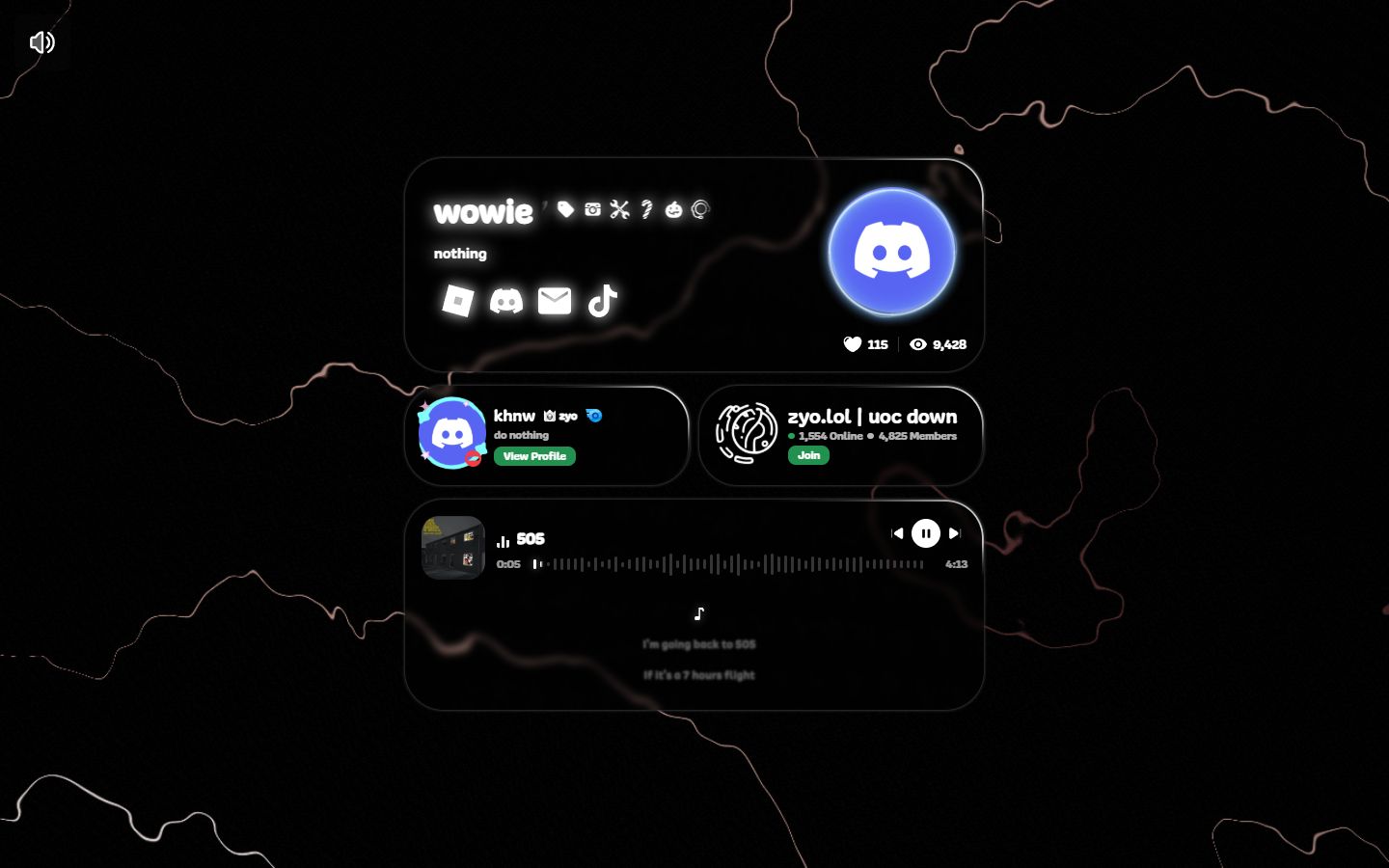
What you can put on your profile
- Avatar, wallpaper and banner. Images, GIFs, or a video as your background.
- Social icons and links. More than 40 platforms, from X and Instagram to Steam, Spotify and crypto wallets, plus your own custom links.
- Music. Upload tracks that play on your profile, with an optional audio widget and synced lyrics.
- Discord presence. Show your live Discord status, activity and badges after you connect Discord.
- Effects. Background effects, name effects, glow, an enter screen and avatar decorations.
- Badges. Earn badges from events, purchases and the community, then show them next to your name.
- Couple profile. Pair your profile with a partner and show a love counter.
Free and paid features
You can build a complete profile for free. Paid products are one-time purchases that unlock extra options.
| Plan | What it adds |
|---|---|
| Free | Layouts 1, 4, 5 and 6, colors, background and name effects, social links, music, decorations, templates and basic analytics. |
| Premium | Layouts 2 and 3, widgets, custom fonts, cursor effects, typewriter description, custom metadata, audio visualizer, aliases, full analytics and higher upload limits. |
| Unleash | Custom CSS, Markdown and your own HTML layout. |
| Image Host | Upload screenshots and clips and share them with short links. |
See zyo.lol/pricing for current prices.
How it works
- Create an account. Sign up with Discord, Google or email and claim your username.
- Pick a layout. The setup flow asks you to choose how your profile looks. You can change it later.
- Customize. Add an avatar, a background, your socials and music from the panel.
- Share your link. Put
zyo.lol/yournamein your Discord, TikTok or Instagram bio.
Your profile links
Every profile works on several official addresses. With the username yourname, all of these open your profile:
zyo.lol/yournameyourname.zyo.lolcutes.lol/yourname,hotwar.lol/yourname,eboy.asia/yournameanditooshii.lol/yourname
Tip
You can copy all of these from Account › Setting › Domains & Profile URLs. Want your own domain instead? See Custom domain.