
With Unleash you can add your own CSS to your public profile. Change fonts, colors, spacing and animations, or hide parts you don't want.
Open Unleash › CSS or go to zyo.lol/cuscss.
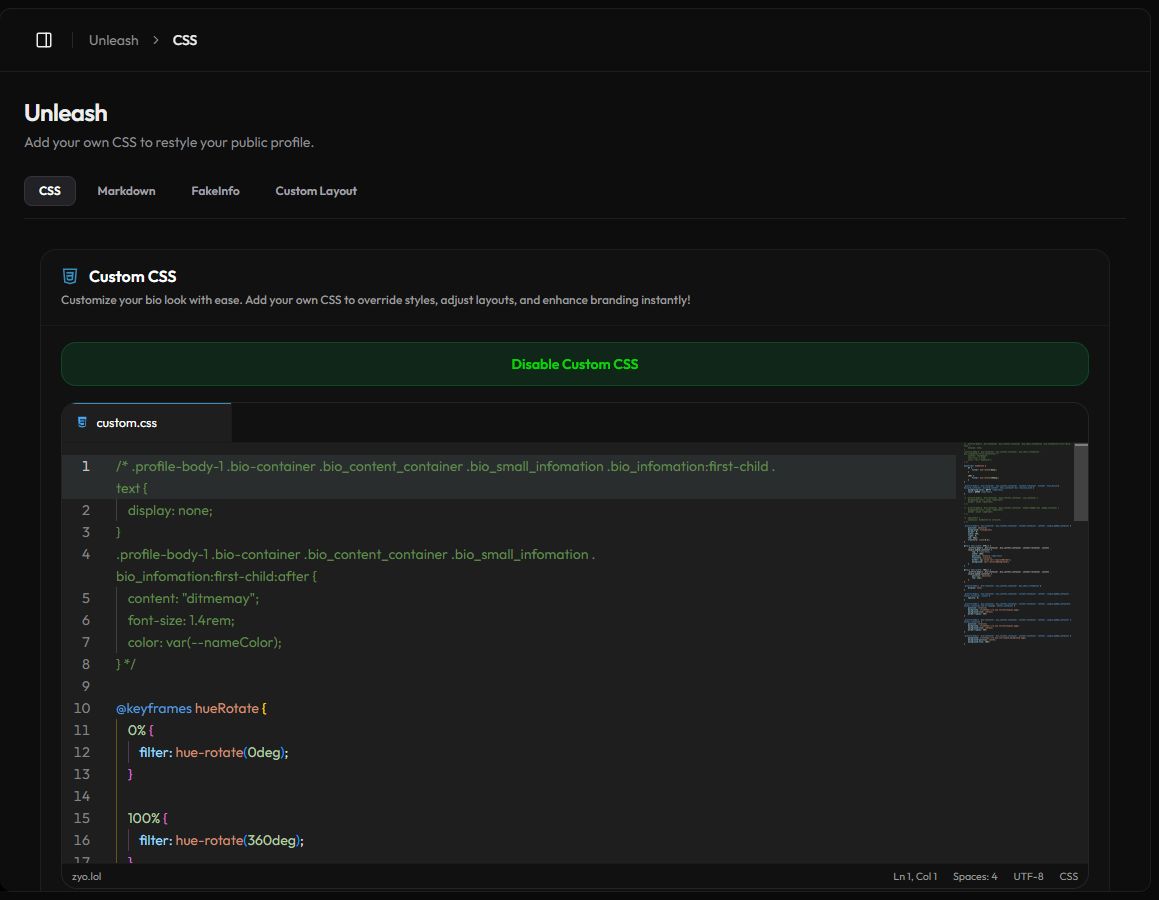
Add your CSS
- Turn it on. Press Enable Custom CSS. The button turns green and changes to Disable Custom CSS.
- Write your styles. Type in the custom.css editor. It highlights mistakes and auto-completes properties.
- Save. Press Save Changes in the bar at the bottom. If the CSS has errors, you'll see Invalid CSS code and nothing is saved.
- Check your profile. Open it with View Profile and refresh to see the result.
Finding what to style
The easiest way to find a selector is your browser's inspector. Open your profile, right-click the part you want to change and choose Inspect.
- The page body has a class for your layout, like
.profile-body-1for Layout 1. Start your selectors with it so they only apply to that layout. - Your colors from Customize are available as CSS variables, for example
var(--nameColor). - Class names can change when a layout is updated. Prefer short, simple selectors over long chains.
Example
.profile-body-1 .bio_content_container {
    border-radius: 28px;
    backdrop-filter: blur(12px);
}

@keyframes hueRotate {
    from { filter: hue-rotate(0deg); }
    to { filter: hue-rotate(360deg); }
}

.profile-body-1 #userName {
    animation: hueRotate 6s linear infinite;
}
What's not allowed
To keep profiles safe, CSS with any of these is rejected with Invalid CSS content detected.:
@import, in any form.url(data:...)andurl(javascript:...).expression(...).- A global reset like
* { all: unset; }. - HTML tags such as
<style>or<script>.
Images and fonts
Use normal https:// links in url() for background images. For a custom font, use the Custom Font option on the General page.
Custom CSS and Custom Layout
Custom CSS also applies when you use a Custom Layout, so it's the place to style your own HTML. With Disable base CSS turned on, your Custom CSS is the only styling on the page.
Undo a change
- Before saving, press Reset in the bar to throw away your unsaved edits.
- If your profile looks broken, press Disable Custom CSS. Your profile goes back to normal and your code stays in the editor.