
Unleash gives you code-level control over your profile. Restyle it with CSS, add Markdown sections, change the counters it shows, or throw away the built-in layouts and build your own in HTML.
What's included
| Tool | What it does | Panel page |
|---|---|---|
| Custom CSS | Override any style on your public profile. | CSS |
| Markdown | Add a rich text section with headings, lists, links and images. | Markdown |
| Fake Info | Change the view and like counts shown on your profile. | FakeInfo |
| Custom Layout | Build your profile from scratch with HTML and layout tags. | Custom Layout |
You also get the Unleash badge for your profile.
Unleash and Premium
Unleash is a separate product from Premium. You don't need Premium to use it. Premium adds effects, widgets and extra layouts without code; Unleash adds the code tools. Many people get both, and the bundle discount applies when you buy them together.
Custom domains
Unleash owners also get a lower price on custom domain time. The Pricing page shows both prices.
Get Unleash
- Open Pricing. Go to zyo.lol/pricing and find the Unleash card under More products.
- Buy it. Press Buy now and finish checkout. See Buying items.
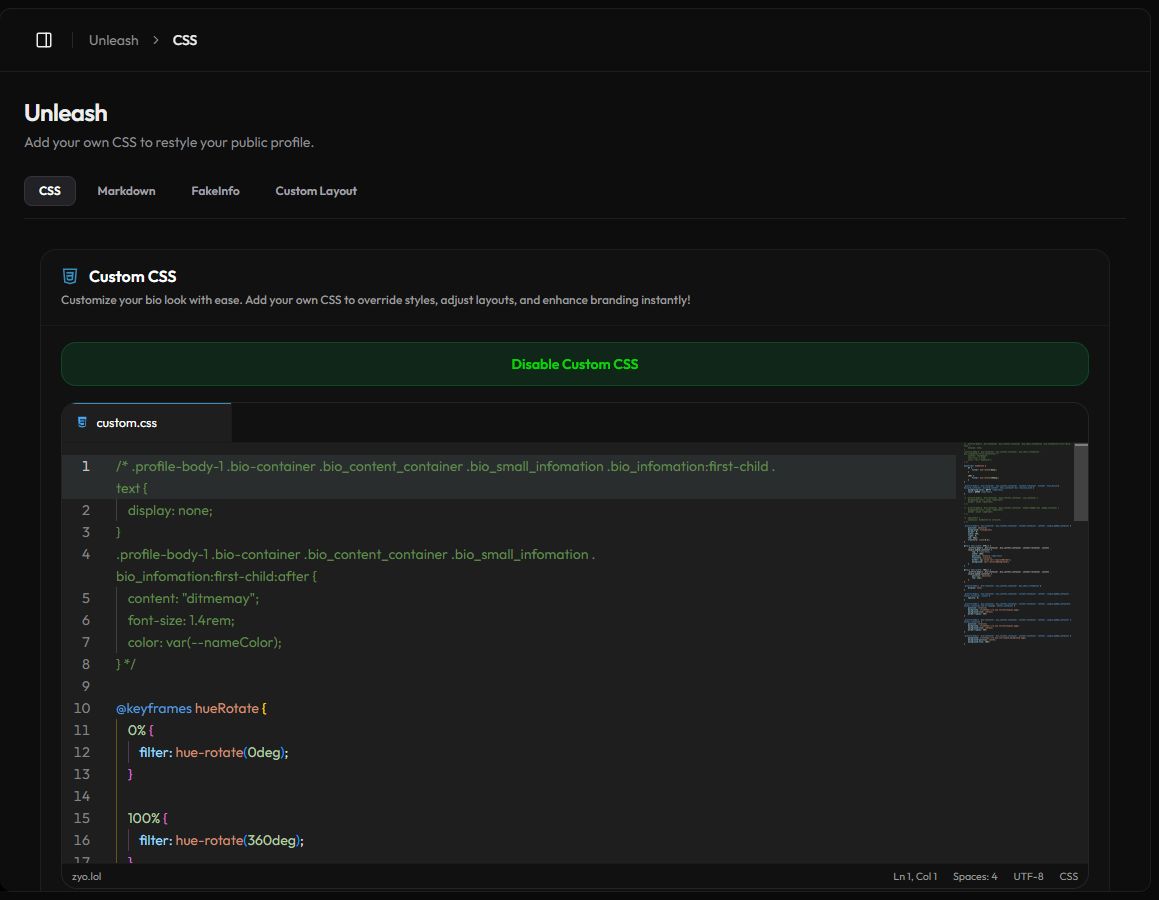
- Open the tools. The Unleash section appears in the panel sidebar with CSS, Markdown, FakeInfo and Custom Layout.
How the tools work
- Each tool has an enable button, like Enable Custom CSS. Your code is kept when you turn a tool off, so you can switch it back on later.
- The editors check your code as you type. When you change something, the Save Changes bar appears at the bottom.
- Unsafe code is removed or rejected when you save, so scripts can't run on your profile.
Keep it readable
Custom code can hide content or break your profile on phones. Check your profile on a small screen after big changes, and follow the rules.