
Widgets are live cards on your profile: your Discord status, game stats, a clock, the weather, a song and more. They're a Premium feature.
Open Premium › Widget or go to zyo.lol/widget.
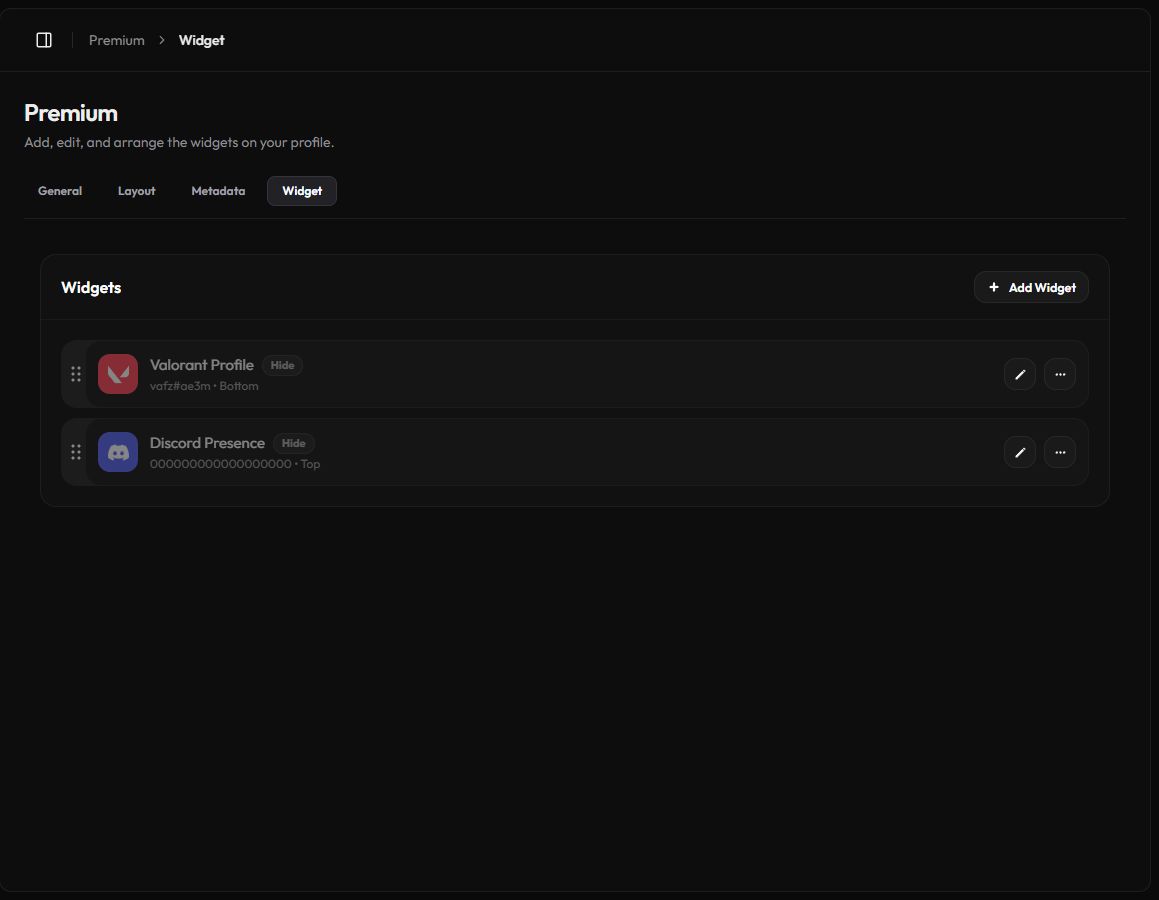
Add a widget
- Start a new widget. On the Widgets page, press Add Widget.
- Pick a service. Click an icon in the row at the top. Some services have more than one type, like Discord Presence and Discord Invite.
- Fill in the details. Enter the username, link or ID the form asks for. The preview on the right shows how it will look.
- Choose the options. Toggle the Display Options, then pick a Widget Placement: Top (inside the profile header) or Bottom (below it).
- Save. Press Add Widget. You're taken back to the list.
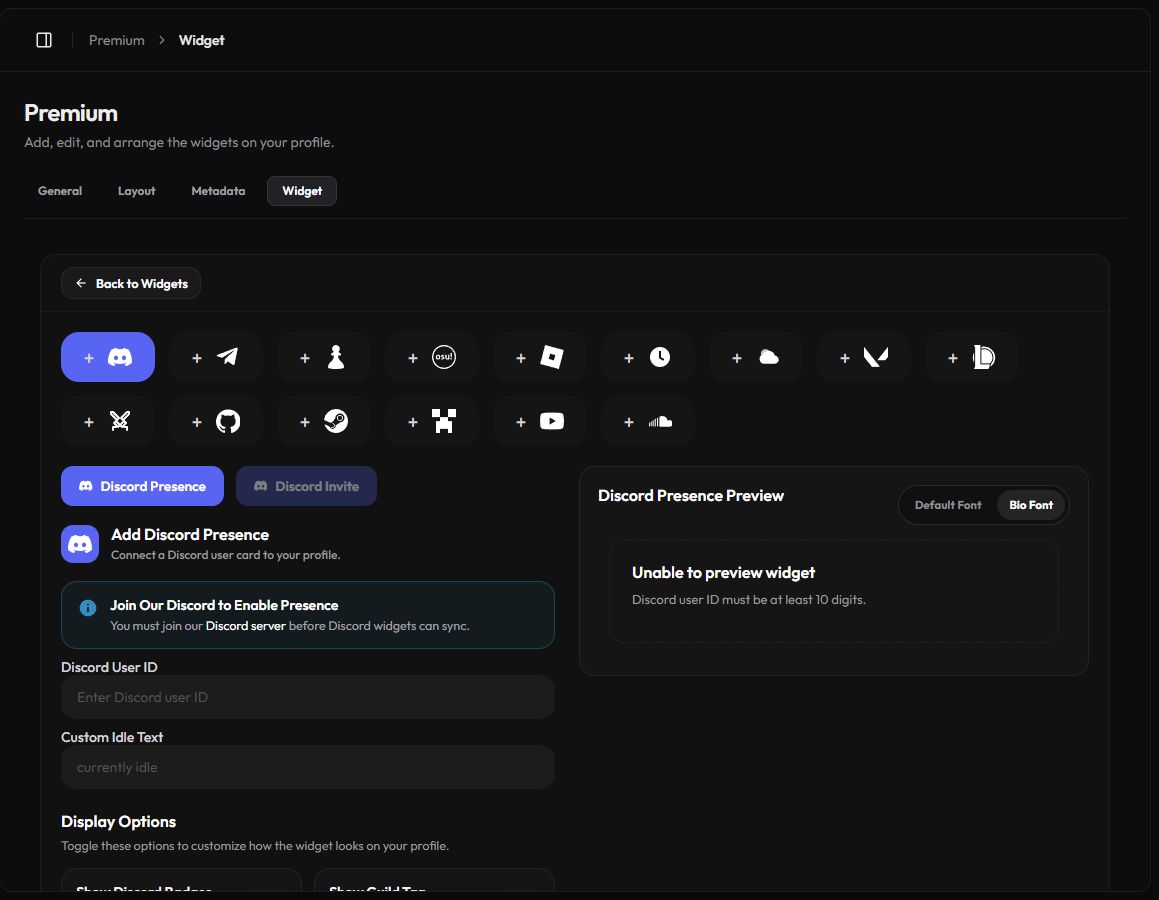
You can have up to 6 widgets, and up to 2 of the same type.
Available widgets
| Widget | What to enter | Shows |
|---|---|---|
| Discord Presence | Your Discord user ID | Your Discord card and status. Optional badges, guild tag and avatar decoration. |
| Discord Invite | A server invite, like https://discord.gg/your-server | The server with its online and member counts. |
| Telegram Channel | @channel or a t.me link | A public channel or supergroup. |
| Chess.com | Your Chess.com username | Rapid, Blitz and Bullet ratings. |
| osu! | Your osu! username | Global rank, performance points and accuracy. |
| Roblox | Your Roblox username | Your Roblox profile, with an optional bodyshot. |
| Time | A timezone | A clock with a dark or light face. |
| Weather | A location | Current weather, with optional wind, rain and °F. |
| Valorant | Riot ID, name#tag | Rank, peak rank, level, win rate and latest match. |
| League of Legends | Riot ID, GameName#TAG | Rank, level, win rate, top champions and latest match. |
| Brawlhalla | Your player ID or exact ranked name | Level, Ranked 1v1 stats and top legends. |
| GitHub | Username or profile link | Your profile, with an optional contribution graph. |
| Steam | Profile link, vanity name or SteamID64 | Your Steam profile. The profile must be public. |
| Minecraft | Username or NameMC link | Your Minecraft profile. |
| YouTube | A channel link, handle or ID, or a video link | A channel card or a video. |
| SoundCloud | A track or playlist link | A SoundCloud player. |
| Spotify | A user, track, playlist or album link | A Spotify card or player. |
Discord widgets
Discord Presence only syncs if that Discord account has joined the zyo.lol Discord server. If the account isn't linked to zyo.lol yet, its activity and status can take about 30 minutes to appear.
To find your Discord user ID, turn on Developer Mode in Discord's Advanced settings, then right-click your name and choose Copy User ID.
How often widgets update
Game and profile widgets don't update live. The builder tells you how often each one refreshes, for example every 30 minutes for Roblox and Brawlhalla, every hour for Valorant and Weather, every 3 hours for League of Legends, and once a day for GitHub, Steam, Minecraft, YouTube and Spotify.
Edit, hide, reorder or delete
- Reorder: drag a widget by the handle on its left. The new order saves on its own.
- Edit: press the pencil button to change the details, then save.
- Hide or show: open the ⋯ menu and choose Hide Widget or Show Widget. Hidden widgets stay in your list with a Hide tag.
- Delete: open the ⋯ menu and choose Delete.
The Second Tab is a single extra card in your profile header. Widgets let you show several services at once and choose where they go.
If a widget won't preview
- Unable to preview widget: check the username, link or ID and try again.
- Not found: the account may be private, or the name may not match exactly. Brawlhalla needs a numeric ID or an exact ranked name.
- Discord shows nothing: join the zyo.lol Discord server with that account, then wait a few minutes.