
Templates are complete profile designs shared by the community. Apply one to get a finished look in seconds, pick only the parts you like, or save your own design to share.
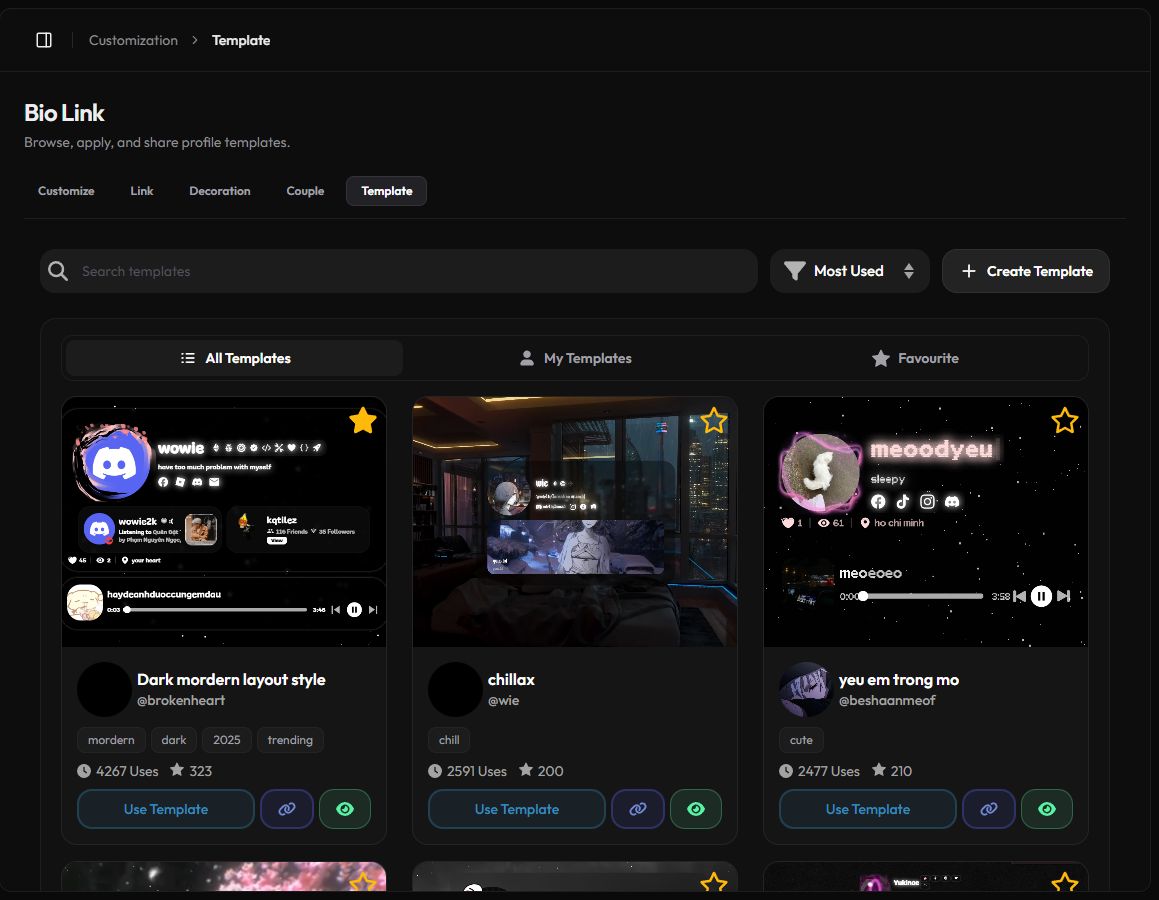
Browse templates
Open Customization › Template or zyo.lol/templates.
- Search templates by title.
- Sort by Newest, Most Used or Oldest.
- Switch between All Templates, My Templates and Favourite.
- Each card shows the creator, tags, how many Uses it has and how many favorites.
- Press the eye button to Preview, and the star to favorite it. You can favorite up to 15 templates.
Apply a template
- Press Use Template on the card you like.
- Pick what to bring in. The Make it yours window lists every part of the template in four groups. Tick only what you want.
- Press Apply. The parts you picked replace the matching settings on your profile.
| Group | Items |
|---|---|
| Media | Avatar, Background, Banner, Cursor |
| Appearance | Colors, Fonts, Card, Effects, Extra styles |
| Layout | Profile layout |
| Components | Audio, Enter Screen, Discord, Metadata, Visibility |
Applying overwrites the parts you selected, including your avatar or background if you tick them. Untick anything you want to keep.
Premium-only parts, like layouts 2 and 3 or Premium settings, are skipped. Everything else still applies. Audio follows your track limit: 3 tracks on Free, 6 on Premium.
Save your profile as a template
- Press Create Template. It saves a copy of your current profile design.
- Fill in the details. Add a Title, Tags (comma separated, like
cute, modern, dark) and a preview image up to 5 MB. - Choose Privacy. Public shows it to everyone. Private keeps it for you only.
- Press Add Template. It appears under My Templates.
You can create up to 5 templates. Each can have up to 10 tags, and each tag can be up to 8 characters.
Share a template
Press Share Template (the link button) on any card to copy its link, like zyo.lol/templates?template=123. Send it to a friend and they can apply it from their own account. You can edit or delete your own templates from My Templates.