
A layout sets the structure of your profile: where the avatar, name, links and widgets sit. zyo.lol has six layouts. Four are free and two need Premium.
The six layouts
| Layout | Plan |
|---|---|
| Layout 1 | Free |
| Layout 2 | Premium |
| Layout 3 | Premium |
| Layout 4 | Free |
| Layout 5 | Free |
| Layout 6 | Free |
The picker shows a preview of each one, so the quickest way to choose is to look at them side by side.
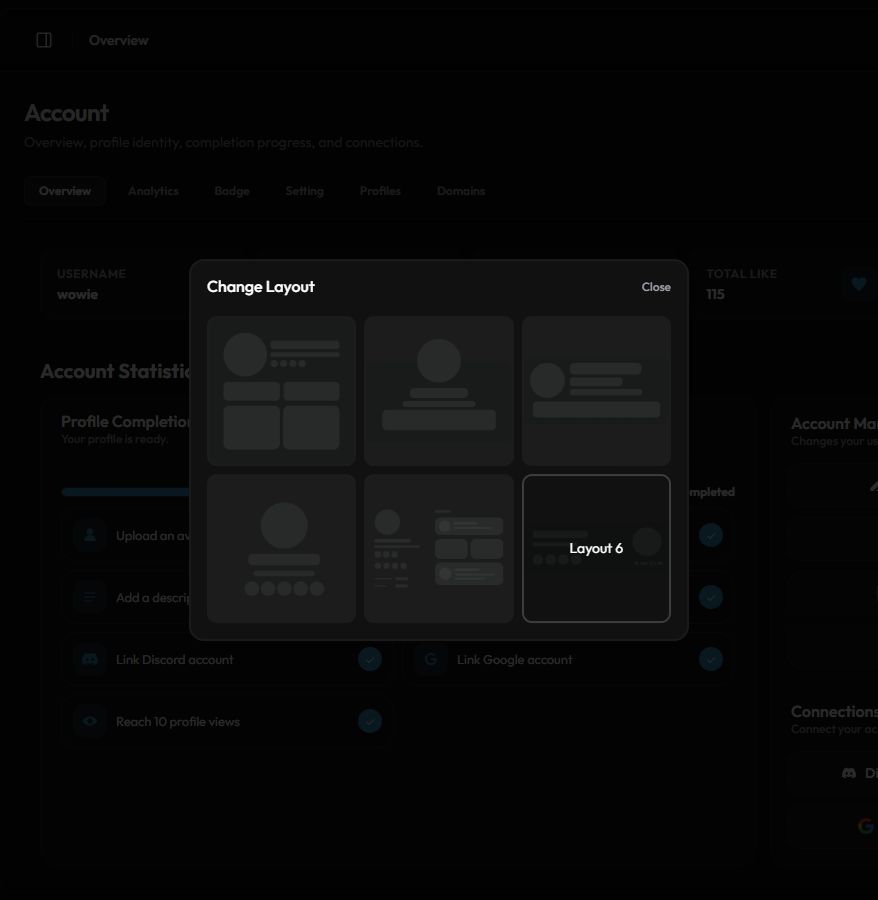
Change your layout
- Open the Overview. Go to zyo.lol/overview.
- Open the picker. In the Account Manager card, press Changes Layout.
- Pick a layout. Click a preview. It's saved right away and you'll see Your layout has been successfully changed.
- Check your profile. Press View Profile in the sidebar to see the new look.
Layouts 2 and 3 show For Premium with a Buy button instead of a preview. Pressing it opens checkout.
Switching to a different layout resets the card and info alignment you set in Customize, because each layout places things differently.
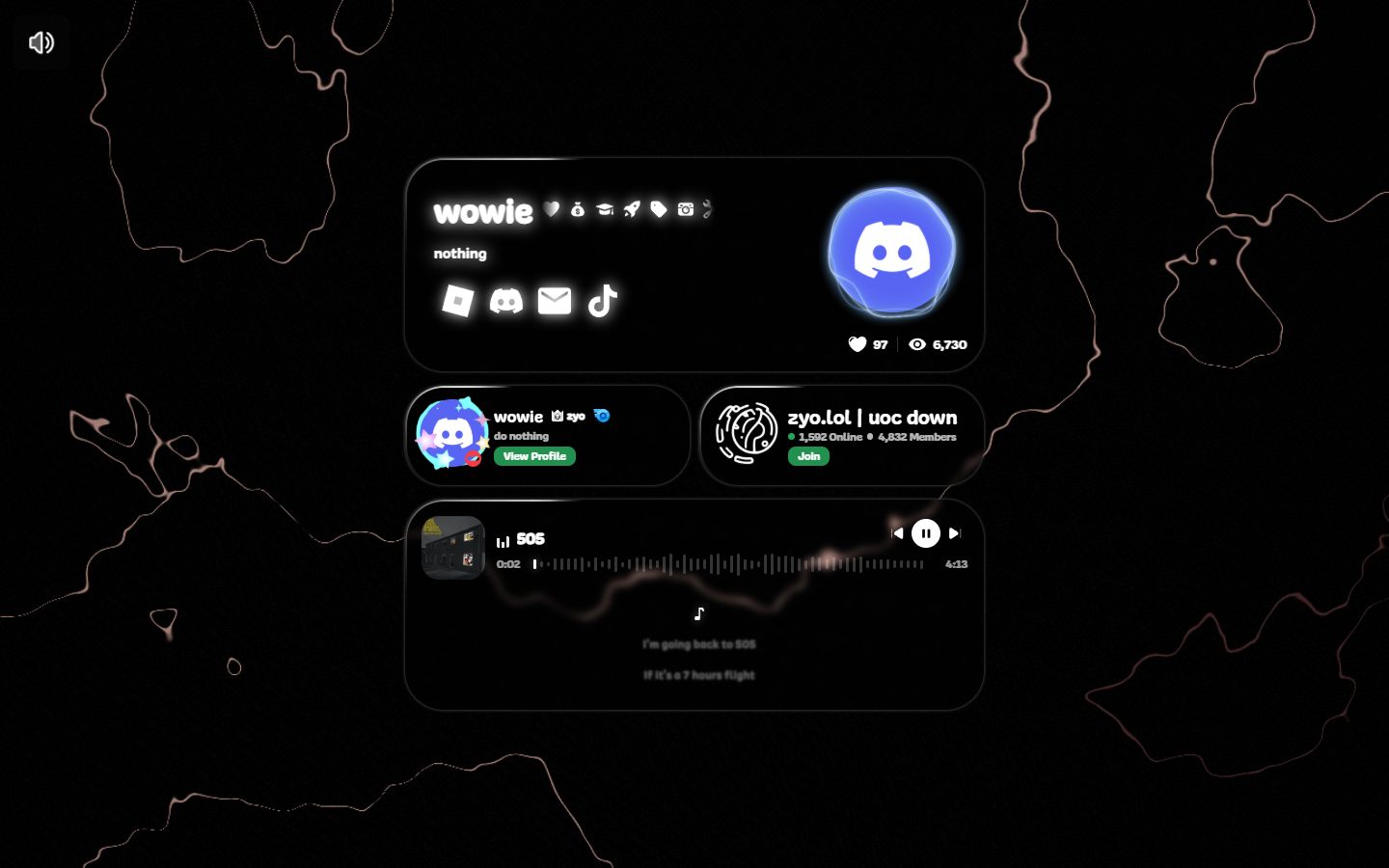
Layout settings
Premium adds extra options for the card around your profile. Open Premium › Layout or go to zyo.lol/layout.
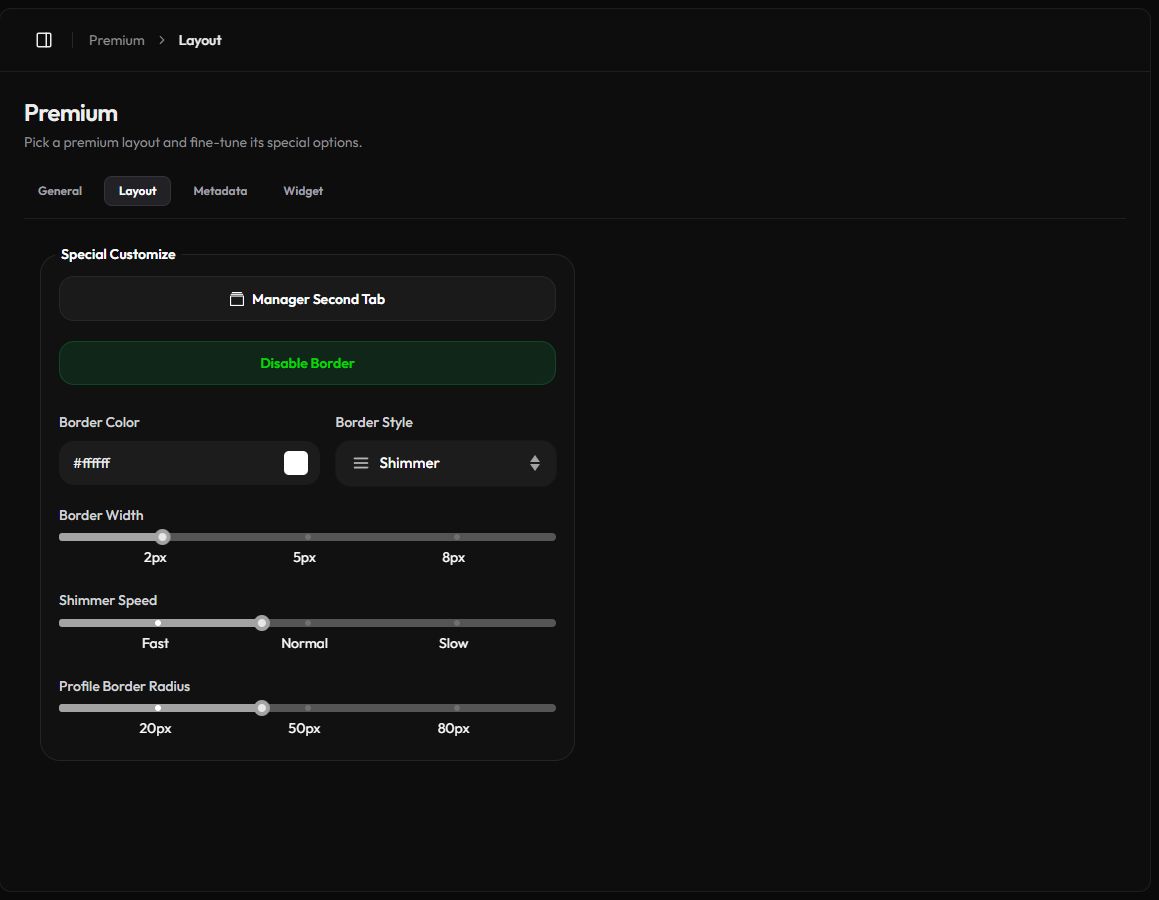
- Enable Border turns on a border around your card. Then pick a Border Color and a Border Style: Solid, Dashed, Shimmer or Electric.
- Border Width sets the thickness. It's hidden for the Electric style.
- Shimmer Speed appears for the Shimmer style.
- Border Opacity appears on layouts 2 and 3.
- Profile Border Radius rounds the corners of your card.
Press Save Changes in the bar at the bottom after changing a slider or dropdown.
Second Tab
The Second Tab adds one extra card from another service next to your profile info.
- Open the manager. On the Layout page, press Manager Second Tab.
- Turn it on. Press Enable Second Tab.
- Pick a service. Choose Discord, Spotify, Roblox, SC (SoundCloud), Valorant or Youtube.
- Paste your link. Fill in Second Tab and press Save!.
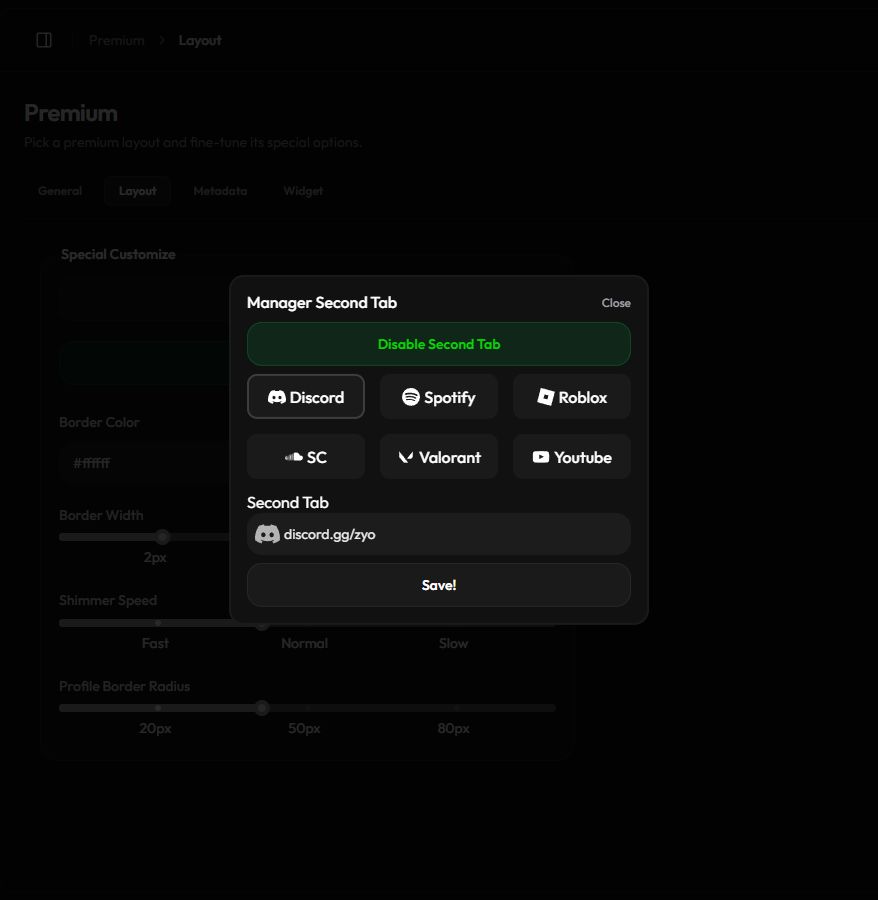
| Service | What to enter |
|---|---|
| Discord | A server invite link, like https://discord.gg/your-server. |
| Spotify | A Spotify link. |
| Roblox | Your Roblox profile link. |
| SC | A SoundCloud track or playlist link. |
| Valorant | Your Riot ID as name#tag. |
| Youtube | Your YouTube channel link. |
The Second Tab holds one service. To show several, use Widgets instead.