
Image Host Paste Bin is included with Image Host. Share notes, Markdown or code with a short link, and protect it with a password, an expiry date or view once.
Create a paste
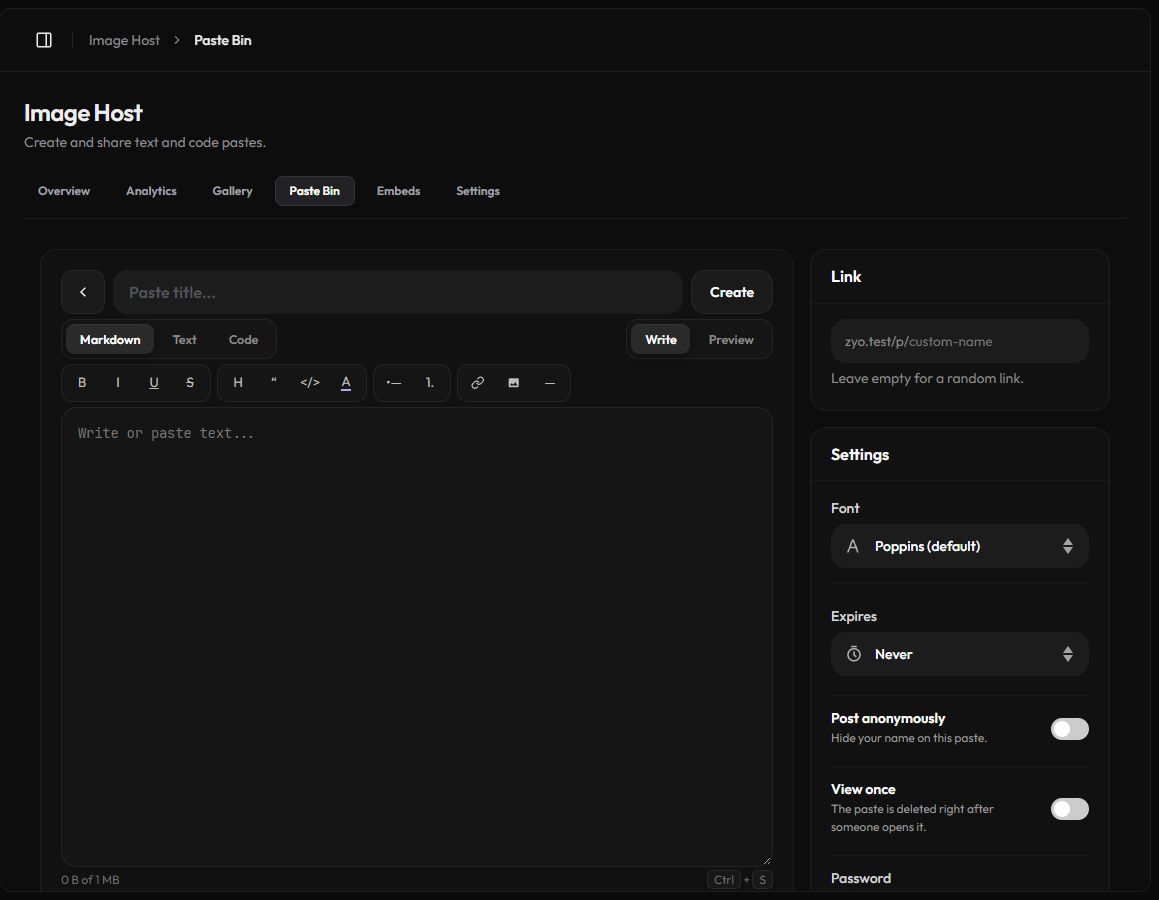
- Open Paste Bin. Go to Panel › Image Host › Paste Bin and click New paste.
- Add a title. It is optional. Pastes without one show as "Untitled paste".
- Pick a mode. Markdown for formatted notes, Text for plain text, or Code for syntax highlighting.
- Write. Type or paste your content. Switch to Preview to see how it looks.
- Set the options. Choose a link, expiry, password and the other settings on the right.
- Save. Click Create, or press Ctrl + S. Then use Copy link or Open.
Modes
- Markdown: the toolbar adds bold, italic, underline, strikethrough, headings, quotes, code, text color, lists, links, images and dividers. You can also pick a Font for the paste.
- Text: plain text, shown as written.
- Code: pick a Language (HTML, CSS, JavaScript, Python, PHP, Lua, SQL and more) for syntax highlighting. Visitors get line numbers, a Copy button and a Raw link.
Link and privacy options
| Option | What it does |
|---|---|
| Link | A custom link like i.zyo.lol/my-notes, using 3 to 32 letters, numbers, - and _. Leave it empty for a random one. |
| Expires | Never, 12 hours, 1 day, 3 days, 7 days or 30 days. Expired pastes are deleted. |
| Post anonymously | Hides your name on the paste. |
| View once | The paste is deleted right after someone opens it. Link previews, like the one Discord makes, cannot open it, only a real visitor can. |
| Password | Visitors must enter it to read the paste. Up to 72 characters. When editing, leave it empty to keep the current one, or turn on Remove password. |
View once is final
After the first visitor opens a view-once paste it is gone from the server. Neither you nor they can open it again, so copy anything you need first.
You always see your own pastes
When you are logged in, your own password and view-once pastes open without the password and are not burned.
Manage your pastes
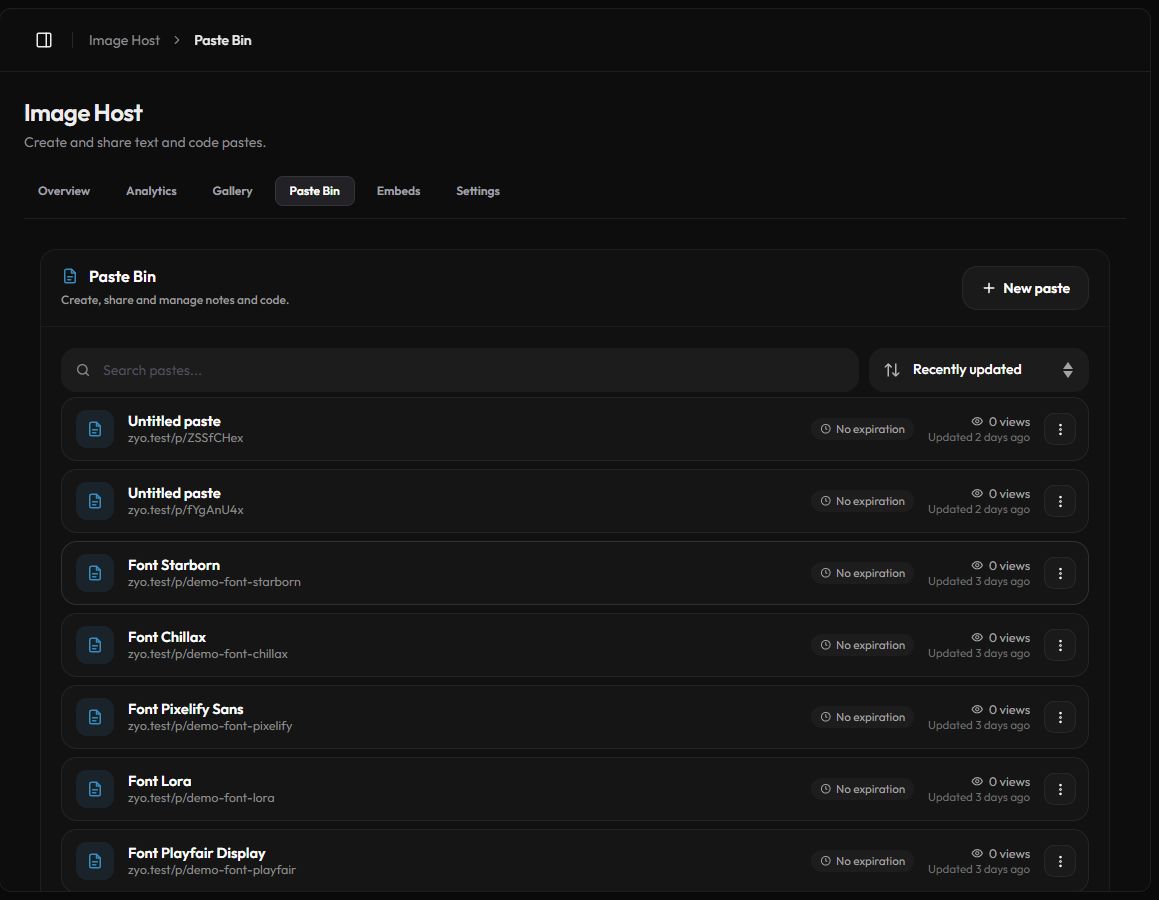
The Paste Bin list shows every paste with its link, expiry and views. Search by title or link and sort by recently updated, newest, most viewed or title. Use the ⋮ menu to Copy link, Edit, Open or Delete a paste. Deleting stops the link right away.
Limits and safety
- Each paste can be up to 1 MB of text.
- You can keep up to 500 pastes, using up to 50 MB in total.
- Pastes are checked automatically for scams, phishing links, token stealers and other malicious code. A flagged paste is hidden and marked In review until a moderator looks at it.
Pastes can also be created and managed with the API.