
Bio Couple pairs your profile with someone else's and adds a matching couple card to your bio: both avatars, a love message and a day counter since you got together. It's free.
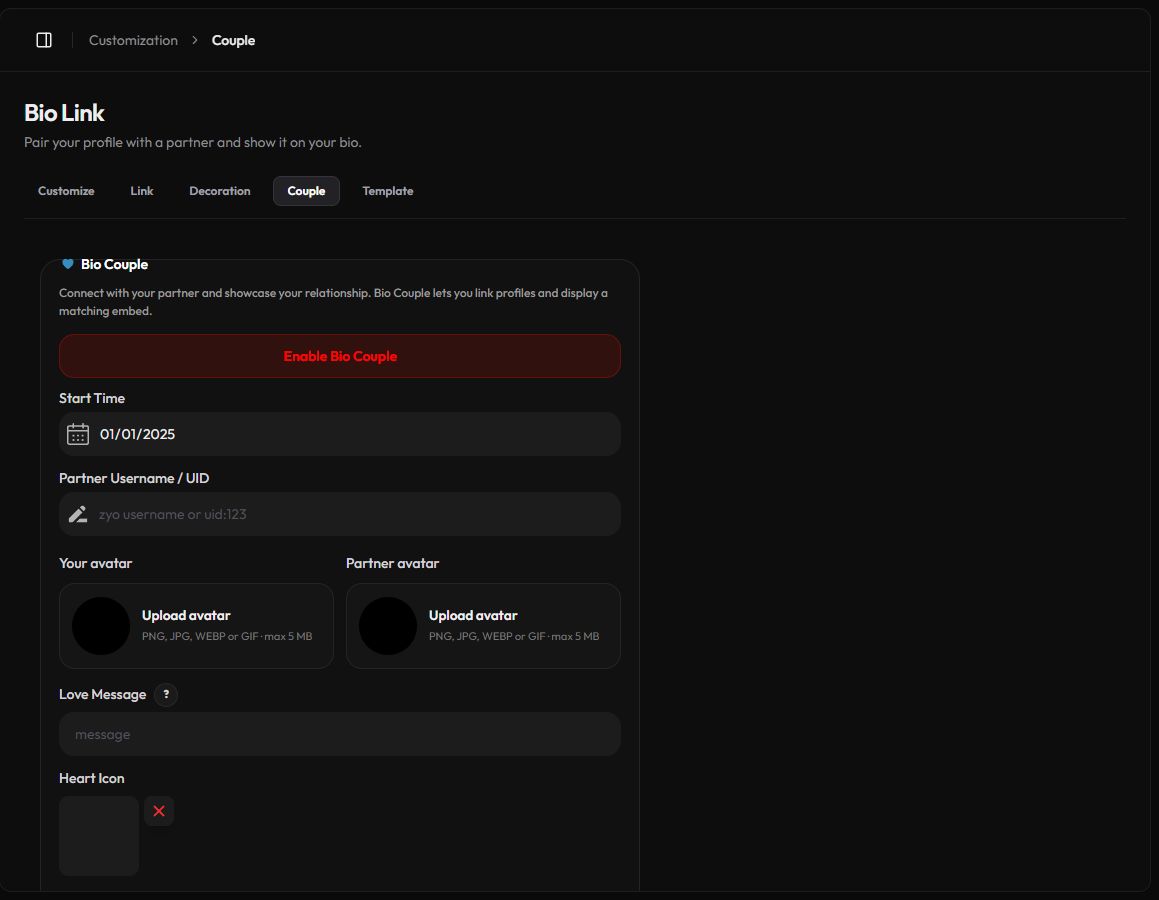
Set up a couple profile
- Open Couple. Go to Customization › Couple or zyo.lol/couple.
- Enter your partner. In Partner Username / UID, type their zyo.lol username or
uid:followed by their UID, for exampleuid:123. Their UID is on their Overview page. - Pick a Start Time. The date you got together. It has to be in the past.
- Write a Love Message. Optional, up to 2,000 characters.
- Save. Press Save Changes in the bar that appears.
- Turn it on. Press Enable Bio Couple. Press Disable Bio Couple to hide it again.
Good to know
Your partner doesn't need to accept anything. The couple card shows on your profile only. If they want one on theirs too, they set it up from their own account.
Love Message formatting
The message supports simple formatting:
| Write | Result |
|---|---|
**bold** | bold |
*italic* | italic |
~~strike~~ | strikethrough |
`code` | inline code |
[Discord](https://discord.com) | a link |
:1354868282812792964: | a Discord emoji by its ID |
${day} | the number of days since your Start Time |
Example
Together for **${day}** days shows something like "Together for 214 days" and counts up by itself.
Avatars, heart and background
- Your avatar and Partner avatar. By default the card uses both profile avatars. Upload your own instead with Upload avatar (PNG, JPG, WEBP or GIF, up to 5 MB). Remove it to go back to the profile avatar.
- Heart Icon. Replace the heart between the avatars with your own image (PNG, JPG, WEBP or GIF, up to 3 MB).
- Couple Background. Upload an image or GIF up to 10 MB, then drag and zoom to choose the visible area and press Apply.
The Couple Preview at the bottom shows how the card will look.